
Product Overview & Details
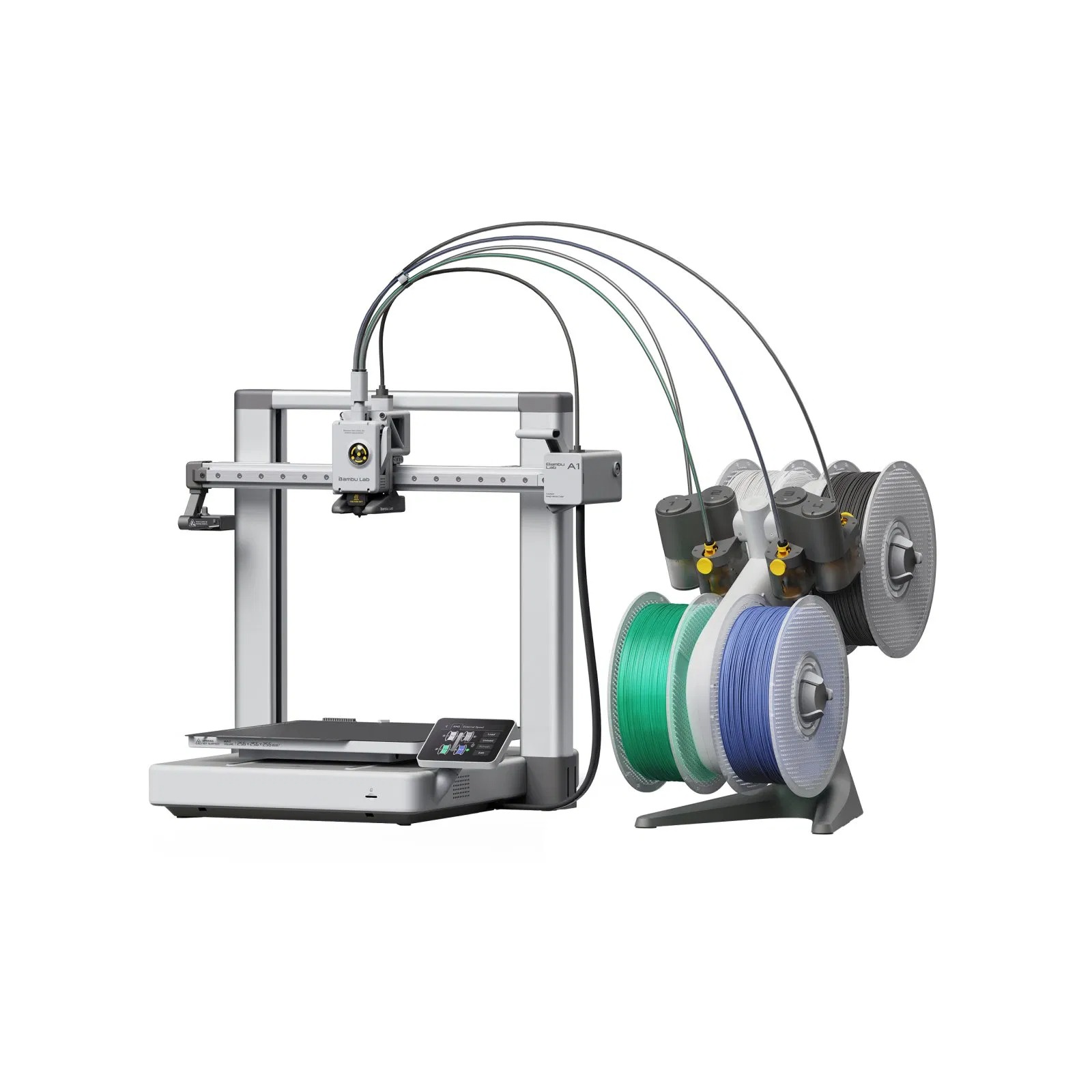
Bambu Lab A1 Combo: Fast Multicolor 3D Printer with AMS lite, Auto Calibration, and 256 mm Build Volume
Meta description (under 160 characters):
Bambu Lab A1 Combo 3D printer with AMS lite for 4-color printing. 256 x 256 x 256 mm build volume, auto bed leveling, 500 mm/s speed, and quiet operation.
Product Description
Print in vivid color from day one with the Bambu Lab A1 Combo, a fast, easy-to-use FDM 3D printer bundled with the AMS lite multicolor filament system. It is built for beginners who want reliable results out of the box and for experienced makers who want speed, quality, and multicolor capability without a complicated setup.
Ready to Print in Minutes
The A1 arrives partly assembled, and setup takes only a short time. Once it is running, fully automatic calibration handles bed leveling, vibration compensation, and flow dynamics, so you can skip tedious manual tuning and focus on your designs. Load your filament, send a file from Bambu Studio or the Bambu Handy app, and start printing.
Multicolor Printing with AMS lite
The Combo includes the AMS lite, which feeds up to four filament spools automatically. Print multicolor models, switch materials mid-print, and avoid manual filament changes. Combine with Bambu Studio’s slicing tools to create detailed, colorful prints with less hassle.
Key Features
- 256 x 256 x 256 mm build volume: large enough for prototypes, cosplay parts, enclosures, and functional components
- High-speed printing: up to 500 mm/s toolhead speed and 10,000 mm/s² acceleration
- Fully automatic calibration: auto bed leveling, vibration compensation, and flow calibration
- Direct drive extruder: reliable feeding for PLA, PETG, TPU, and more
- Hotend up to 300°C and heated bed up to 100°C: versatile material support
- Quick-swap nozzle: change nozzles in seconds for different detail levels
- Active flow rate compensation: consistent extrusion for cleaner surfaces
- Smart safety and monitoring: filament runout detection, nozzle clog detection, and power loss recovery
- Quiet operation: Bambu Lab’s motion system keeps noise low for home and office use
- 2.4-inch color touchscreen: simple on-device control
- Wi-Fi, Bluetooth, and microSD connectivity: print remotely or offline
- Bambu Studio and Handy app: slice, monitor, and manage prints from your computer or phone
Perfect For
- Beginners looking for a reliable first 3D printer
- Hobbyists printing figures, toys, and decorative objects
- Makers prototyping parts and enclosures
- Cosplayers and tabletop gamers
- Classrooms and makerspaces
- Small online sellers producing custom items
Technical Specifications
| Specification | Details |
|---|---|
| Printer type | FDM, open-frame bed-slinger |
| Build volume | 256 x 256 x 256 mm |
| Max toolhead speed | 500 mm/s |
| Max acceleration | 10,000 mm/s² |
| Max hotend temperature | 300°C |
| Max heatbed temperature | 100°C |
| Default nozzle | 0.4 mm |
| Extruder | Direct drive |
| Bed leveling | Automatic |
| Display | 2.4-inch touchscreen |
| Connectivity | Wi-Fi, Bluetooth, microSD card |
| Slicer | Bambu Studio (also supports OrcaSlicer) |
| Multicolor system | AMS lite (up to 4 filaments) |
What’s in the Box
- 1 × Bambu Lab A1 3D printer
- 1 × AMS lite multicolor filament system
- 1 × Textured PEI build plate
- 1 × Spool holder and filament sample
- Tools, cables, and quick-start guide
Frequently Asked Questions
What is the difference between the A1 and the A1 Combo?
The A1 Combo includes the AMS lite, so you can print with up to four colors or materials automatically. The standard A1 ships without it.
Can the A1 print ABS or ASA?
The A1 is an open-frame printer, so it is best suited to PLA, PETG, and TPU. Materials that need an enclosure, such as ABS and ASA, are better printed on an enclosed printer.
Is the A1 Combo good for beginners?
Yes. Automatic calibration, simple setup, and the intuitive software make it one of the easiest ways to start 3D printing.
Does it need a PC to run?
No. You can print from a microSD card or over Wi-Fi, and monitor progress with the Bambu Handy app.
Suggested SEO Keywords:
Bambu Lab A1 Combo, Bambu Lab A1 3D printer, Bambu Lab A1 AMS lite, multicolor 3D printer, best 3D printer for beginners, Bambu Lab A1 vs A1 mini, 256mm 3D printer, buy Bambu Lab A1 Combo